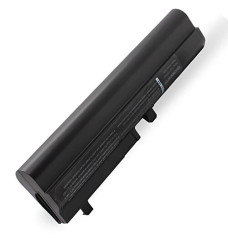
Laptop Accessories Price in Bangladesh starts from BDT 1000 to 9500, depending on the model and specification. Latest Laptop Accessories Shop available at Potaka IT Computer shop in BD. Browse below & Order yours Now!

| Laptop Accessories - Latest Price List in BD | |
|---|---|
| Laptop Battery For Toshiba PA3634U PA3817U | 2,100৳ |
| Laptop Battery For Toshiba 3733 | 2,100৳ |
| Laptop Battery For Toshiba PA5024 | 2,100৳ |
| Laptop Battery For Toshiba 3356 | 2,100৳ |
| Laptop Battery For Toshiba Satellite 1305 | 2,100৳ |
| Laptop Battery For Fujitsu LH530 | 2,000৳ |
| MaxGreen BP195B Laptop Battery For Fujitsu | 2,000৳ |
| Laptop Battery for Asus 450 and 550 Series | 2,000৳ |
A laptop becomes far more practical when it is paired with the right accessories. A dependable charger keeps you working, a cooling pad helps manage heat, and a comfortable stand can make long hours at a desk much easier. Whether you need to replace a worn-out component or improve your everyday setup, Potaka IT offers a useful selection of laptop accessories in Bangladesh for students, professionals, freelancers, gamers and home users.
Explore laptop batteries, chargers and adapters, laptop keyboards, cooling pads, stands, replacement displays and laptop RAM from one convenient category. You can compare specifications, compatibility, availability and the latest laptop accessories price in Bangladesh before ordering. If you are building a completely new setup, you can also browse the latest laptops in Bangladesh available at Potaka IT.
Not every accessory is simply an optional extra. Some products replace essential parts, while others improve comfort, portability or performance. A damaged adapter can interrupt your work without warning, and an ageing battery can turn a portable laptop into a device that must remain plugged in. Likewise, heavy workloads and long gaming sessions may benefit from better ventilation and a more comfortable screen position.
The best choice depends on your laptop model and how you use it. Before purchasing a replacement part, check the exact model number, connector type, voltage, dimensions and supported specifications. For stands and coolers, consider your laptop’s screen size, weight and air-vent location. These simple checks can save time and help you avoid compatibility problems.
A weak battery often causes short backup time, sudden shutdowns or charging problems. If your laptop no longer lasts long enough for classes, meetings or travel, replacing the battery may restore much of its original portability. Potaka IT carries laptop batteries for different series from Acer, Asus, Dell, HP, Lenovo, Toshiba, Fujitsu and other manufacturers.
Battery shape alone is not enough to confirm compatibility. Match the battery part number, voltage, connector position and supported laptop series with your existing unit. Capacity is normally shown in mAh or Wh; a higher figure may provide longer backup only when the battery is designed for the same device. If you are uncertain, confirm your laptop’s complete model number before placing an order.
A reliable charger is essential for stable power and safe charging. Browse laptop chargers and adapters when replacing a lost, damaged or unreliable power unit. Chargers may look similar but differ in voltage, amperage, wattage, pin size and connector design. Some modern laptops use USB Type-C Power Delivery, while many models still require a dedicated round or rectangular connector.
Always match the required voltage and connector. The adapter’s supported wattage should also meet the laptop manufacturer’s requirement, especially for gaming and high-performance notebooks. An underpowered charger may charge slowly or fail to supply enough power during demanding work.
Laptops can become noticeably warm during gaming, rendering, editing or extended office use. A laptop cooler lifts the device from the desk and provides additional airflow around its base. Depending on the model, a cooling pad may include one or several fans, adjustable height settings, USB passthrough ports and lighting.
Choose a cooler that supports your laptop size and positions its fans close to the bottom air intake. A cooling pad cannot repair a blocked fan or dried thermal compound, but it can improve desk ventilation and make long sessions more comfortable. For gaming users, suitable cooling accessories can complement a powerful gaming laptop setup.
A laptop stand raises the display to a more natural viewing height and frees useful space around the desk. Foldable stands are convenient for students and travellers, while adjustable metal stands suit permanent workstations. Some larger models include mounting arms that allow more control over height, tilt and desk placement.
Look for stable construction, non-slip padding, suitable weight capacity and enough ventilation around the laptop. If the stand raises the built-in keyboard too high for comfortable typing, pair it with an external keyboard and mouse to create a more practical desktop-style arrangement.
Unresponsive keys, liquid damage and worn lettering can make everyday typing frustrating. A replacement laptop keyboard can bring back comfortable input without replacing the entire computer. Keyboard layouts, ribbon cables, mounting points and backlight support vary even between models from the same brand, so compatibility must be checked carefully.
Cracks, lines, flickering or dark patches may indicate that a screen needs attention. When shopping for a laptop display, compare screen size, resolution, connector position, pin count, refresh rate and panel thickness. Similar-looking panels are not always interchangeable. Professional diagnosis is recommended if you are unsure whether the problem comes from the display, cable or another internal component.
Memory determines how comfortably a laptop handles multiple browser tabs, office programs, design software and other active tasks. A compatible RAM upgrade may reduce slowdowns when the existing memory is insufficient. Before choosing laptop RAM, check whether your system uses DDR3, DDR4 or DDR5 memory, its supported speed, maximum capacity and available SO-DIMM slots. Some thin laptops have soldered memory that cannot be upgraded, so checking the model specifications first is important.
Carrying a laptop safely requires more than an ordinary backpack. A padded laptop bag helps protect the device from everyday knocks and scratches while providing organised space for a charger, mouse, documents and cables. Choose the compartment according to your laptop’s actual dimensions rather than relying only on the advertised screen size. Water-resistant fabric, strong zippers, reinforced stitching and comfortable straps are valuable for regular commuting.
Potaka IT makes it easier to compare the latest laptop accessories price in BD from a single online catalogue. Product pages show key specifications, current availability and applicable warranty information, helping customers make a better-informed decision. Buyers in Dhaka and Chattogram can also visit Potaka IT branches, while online delivery is available for customers in other parts of Bangladesh.
Visit the Potaka IT computer shop to explore laptops, desktops, computer components, monitors and accessories. Whether you are replacing a failed battery, improving your desk or preparing a complete mobile workstation, compare the available options and choose accessories that properly match your device and daily needs.
Prices vary according to the accessory type, brand, compatibility and specifications. A replacement battery, charger, cooling pad, stand or display will not fall within the same price range. Check the current product listings on Potaka IT for updated prices and stock information.
A charger, protective bag and mouse are useful for most users. A stand and external keyboard can improve a desk setup, while a cooling pad is helpful for laptops used for gaming or other demanding tasks. Replacement batteries, keyboards and displays should be selected according to the exact model.
Match the laptop model and original part number first. For a battery, compare its voltage, connector and physical design. For a charger, verify the voltage, amperage or wattage and connector size. Contact the seller with your complete model number if any detail is unclear.
Yes. Customers can place an online order and select an available delivery option. Delivery time and charges may vary depending on the destination, product and courier coverage.