
Gigabyte Monitor Price in Bangladesh start from BDT 10,300 to BDT 65,000 depending on model and specification. Buy the Latest original Gigabyte Monitor from Potaka IT Monitor shop in BD. Browse below and Order yours now!
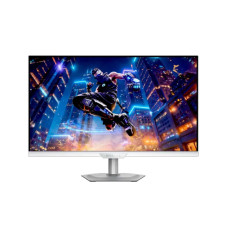
61,000৳
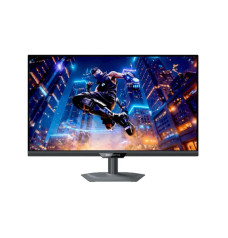
60,500৳

41,500৳
42,000৳

38,000৳
49,500৳

22,000৳
26,500৳
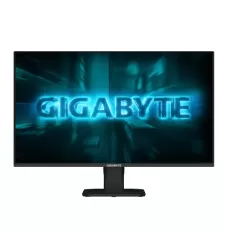
13,900৳
17,500৳
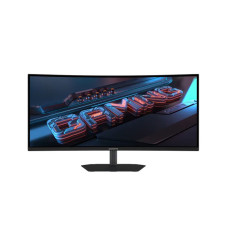
53,500৳
58,100৳
38,500৳
0৳
20,999৳
21,000৳

179,000৳
203,000৳

0৳

39,500৳
41,000৳
60,000৳

21,500৳
24,500৳

169,000৳
198,000৳
| Gigabyte monitor - Updated Price List in BD | |
|---|---|
| GIGABYTE G34WQC2 34" 200Hz WQHD VA Ultra Wide Curved Gaming Monitor | 53,500৳ |
| GIGABYTE G27Q3 27" 320Hz QHD SS IPS Gaming Monitor | 38,500৳ |
| GIGABYTE GO27Q24A 27-inch QHD 240Hz QD-OLED Gaming Monitor | 60,000৳ |
| GIGABYTE G25F2A 24.5" 240Hz FHD IPS Gaming Monitor | 20,999৳ |
| GIGABYTE M27UP 27" 4K UHD 160Hz KVM Gaming Monitor | 60,500৳ |
| GIGABYTE M27UP ICE 27" 4K UHD 160Hz KVM Gaming Monitor | 61,000৳ |
| Gigabyte GS25F14 24.5" 144Hz FHD SS IPS Gaming Monitor | 13,900৳ |
| GIGABYTE M27Q2 QD ICE 27 " QHD 200Hz Gaming Monitor | 38,000৳ |
Looking for the latest Gigabyte monitor price in Bangladesh? Potaka IT offers a selection of Gigabyte monitors for competitive gaming, content creation, office work and everyday entertainment. Gigabyte is particularly popular among gamers because its monitor lineup combines high refresh rates, fast response times, sharp resolutions and practical gaming features. Whether you need an affordable Full HD display or a premium QHD, 4K or ultrawide gaming monitor, you can compare the available options on this page and choose one that matches your PC and budget.
The price of a Gigabyte monitor in Bangladesh depends on its screen size, resolution, panel technology, refresh rate and connectivity. Entry-level models are generally suitable for daily computing and casual gaming, while high-performance models may include 180Hz, 200Hz, 240Hz or faster refresh rates, HDR support, OLED panels, USB Type-C and built-in KVM functionality. Check the listed products for the current price, availability, warranty information and complete specifications before ordering.
Gigabyte produces monitors for different types of users, but the brand has a particularly strong presence in the gaming display market. Many Gigabyte gaming monitors balance speed and image quality, making them useful for both competitive games and visually detailed single-player titles.
Depending on the model, you may find features such as a high refresh rate, low response time, Adaptive-Sync support, HDR compatibility, Black Equalizer, Aim Stabilizer and customizable display settings. Some advanced Gigabyte monitors also offer a KVM switch, allowing compatible computers or devices to share a keyboard, mouse and monitor setup. These capabilities can be helpful for users who switch between a desktop PC, work laptop or gaming system.
Gigabyte monitors are available with IPS, VA and OLED panel technologies. IPS models are commonly selected for wide viewing angles, responsive performance and consistent colours. VA panels can provide deeper contrast and are frequently used in curved monitors. OLED models are aimed at premium users seeking exceptional contrast, fast pixel response and immersive picture quality.
The Gigabyte gaming monitor price in Bangladesh varies significantly because the available models cover several performance levels. A Full HD gaming monitor with a standard screen size will usually be more affordable than a QHD, 4K, OLED or ultrawide model. Refresh rate also affects pricing: a monitor designed for 144Hz or 165Hz gaming may cost less than a 240Hz or higher-refresh-rate display with premium features.
Monitor prices and stock can change because of availability, exchange rates and new model releases. For the most accurate information, refer to the live product prices displayed above. You can also explore the complete gaming monitor collection or compare models from other brands in Potaka IT’s computer monitor category.
A Full HD or 1080p Gigabyte monitor is a practical option for esports, office applications, online classes and general home use. The 1920 × 1080 resolution is relatively easy for mainstream graphics cards to run at a high frame rate. For competitive games such as Valorant, Counter-Strike 2, Fortnite and Apex Legends, a high-refresh-rate Full HD monitor can provide smooth motion without requiring an extremely powerful GPU.
A Gigabyte QHD monitor uses a 2560 × 1440 resolution, commonly called 1440p or 2K in retail searches. QHD provides noticeably more detail and workspace than Full HD while remaining easier to drive than 4K. A 27-inch QHD monitor is often a balanced choice for PC gamers, designers, editors and users who regularly work with multiple windows.
A Gigabyte 4K monitor offers a 3840 × 2160 resolution for sharper text, detailed images and high-resolution video. It can be suitable for professional creative work, productivity, premium PC gaming and compatible gaming consoles. Before buying a high-refresh-rate 4K gaming monitor, confirm that your graphics card and connection standard can support your preferred resolution and frame rate.
Refresh rate, measured in hertz, indicates how many times a monitor can update its image every second. A 60Hz or 75Hz monitor can handle regular office and entertainment use, while 144Hz, 165Hz, 180Hz, 200Hz and 240Hz monitors deliver progressively smoother motion when the computer produces enough frames.
Response time describes how quickly pixels change from one state to another. A low response time can reduce visible motion blur and ghosting during fast gameplay. However, advertised response-time figures may use different measurement methods, such as GtG or MPRT. For the best result, evaluate refresh rate, panel type, overdrive settings and Adaptive-Sync support together instead of choosing a monitor based on one number alone.
Flat monitors are versatile and work well for gaming, productivity and creative applications. A Gigabyte curved monitor can create a more immersive viewing experience, particularly on larger screens. Curved VA models are popular for racing games, simulation titles and entertainment because of their wraparound presentation and strong contrast.
Ultrawide monitors provide additional horizontal workspace and a broader field of view in supported games. They can also make video editing, multitasking and timeline-based work more convenient. Before purchasing an ultrawide display, check the monitor’s dimensions, desk space, stand adjustment and game compatibility.
First, confirm that the monitor has the HDMI or DisplayPort version needed by your computer or console. If you want one-cable connectivity for a compatible laptop, check whether the selected model includes USB Type-C and whether it supports video, data and power delivery. A built-in KVM switch can be valuable for a dual-device workstation, while VESA mounting support offers more flexibility when using a monitor arm.
You should also check stand adjustment, colour coverage, brightness, HDR certification, built-in speakers and audio output. Features differ between models, so always review the individual product specifications rather than assuming every Gigabyte display includes the same functions.
Shop for a Gigabyte monitor in Bangladesh through Potaka IT and compare models by resolution, refresh rate, panel type, screen size and price. Each product page provides detailed specifications to help you make an informed decision. Warranty terms may vary by product or distributor, so check the warranty information shown on the selected model before completing your purchase.
You can order online or visit Potaka IT for purchase assistance. Learn more about Potaka IT, find the physical shop and communication details on the contact page, or use the PC Builder to plan a compatible desktop setup.
Gigabyte monitor prices vary according to screen size, resolution, refresh rate, panel type and features. Check the products listed on this page for Potaka IT’s current prices and availability.
Yes. Gigabyte offers gaming monitors with high refresh rates, fast response times, Adaptive-Sync support and gaming-focused display settings. The right model will depend on your graphics card, preferred games and target resolution.
A 1440p monitor provides a sharper image and more workspace than 1080p, but it requires greater graphics performance. For competitive gaming on a modest PC, 1080p may deliver higher frame rates. For a balance of clarity and performance, 1440p is a popular choice.
A 144Hz to 180Hz monitor is suitable for many gamers, while 200Hz, 240Hz or faster models are more relevant to competitive players. Your computer must be able to generate sufficiently high frame rates to take full advantage of the monitor.
Yes. Gaming monitors can also handle browsing, documents, spreadsheets, programming and media consumption. QHD and ultrawide models can be particularly useful when extra workspace is important.


