
Motherboard Price starts from BDT 6,950 to BDT 168,000 in Bangladesh, depending on the brand, series, socket, and features. Build your PC with the latest Motherboard from Potaka IT shop. Browse below and order yours now!

18,400৳
19,000৳
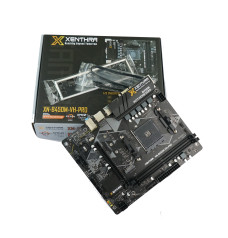
7,000৳
0৳
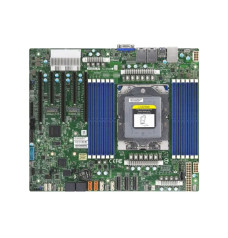
140,000৳
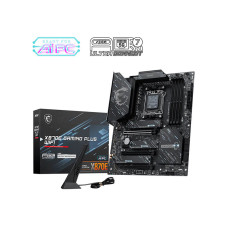
39,000৳
44,000৳

39,000৳
40,500৳
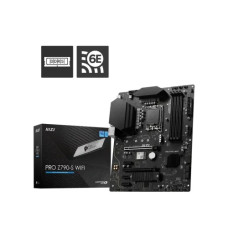
25,500৳
28,000৳
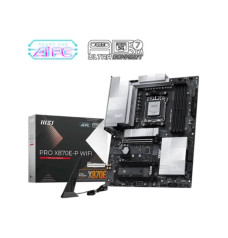
36,500৳
-228x238.jpg)
37,999৳
45,500৳

34,800৳
44,500৳
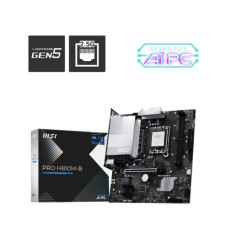
17,000৳
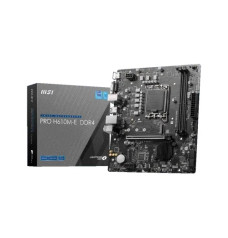
9,800৳
11,200৳

23,000৳
23,500৳

29,500৳
33,550৳

27,000৳
29,700৳

27,500৳

22,700৳
23,500৳
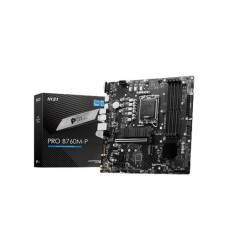
15,200৳
17,500৳
14,500৳
14,700৳
12,800৳

19,200৳
22,000৳

15,500৳
17,200৳

11,500৳
13,500৳

13,500৳
14,500৳

20,000৳
23,000৳
| Motherboard - Updated Price list in BD | |
|---|---|
| MSI X870E GAMING PLUS WIFI AM5 ATX Motherboard | 39,000৳ |
| ASUS Pro WS TRX50-SAGE WIFI A Workstation Motherboard | 130,500৳ |
| ASUS ROG MAXIMUS Z890 HERO BTF LGA1851 ATX Motherboard | 106,400৳ |
| ASUS ProArt Z890-CREATOR WIFI LGA1851 ATX Motherboard | 81,950৳ |
| ASUS ROG STRIX Z890-E GAMING WIFI LGA1851 ATX Motherboard | 76,950৳ |
| ASUS ROG STRIX Z890-F GAMING WIFI LGA 1851 DDR5 ATX Motherboard | 68,700৳ |
| MSI MAG B860 TOMAHAWK WIFI LGA 1851 ATX Motherboard | 33,500৳ |
| ASUS ROG STRIX Z890-A GAMING WIFI LGA 1851 ATX Motherboard | 64,899৳ |
A motherboard is the foundation of every desktop PC. It determines which processor, RAM, graphics card, storage drive, cooler and expansion devices you can use. At Potaka IT, you can compare the latest motherboard price in Bangladesh for entry-level office computers, home desktops, gaming PCs, content-creation systems and professional workstations. Our collection includes Intel and AMD platforms from popular brands such as ASUS, MSI, Gigabyte, ASRock, Colorful, Maxsun and Biostar.
The best motherboard is not always the most expensive model. The right choice is the board that matches your processor socket, preferred chipset, RAM generation, PC case size and future upgrade plan. Browse the live products above to check current prices, availability, specifications and warranty information before ordering.
Start by selecting the processor platform for your new PC. An Intel processor requires a compatible Intel motherboard, while an AMD Ryzen processor needs an AMD Ryzen motherboard. Motherboards made for Intel and AMD processors are not interchangeable because they use different sockets and chipsets.
Intel motherboards are available for a wide range of processor generations and budgets. Depending on the CPU, you may need an LGA 1200, LGA 1700 or LGA 1851 board. Entry-level chipsets are suitable for office work and everyday computing, while B-series boards offer a balanced mix of features for mainstream and gaming builds. Performance-focused users can choose higher-end Z-series motherboards with stronger power delivery, faster connectivity and additional expansion options. Pair your board with a compatible CPU from the processor collection.
AMD builders can choose between value-oriented AM4 motherboards and newer AM5 motherboards. AM4 remains practical for affordable DDR4 systems, while AM5 is designed for newer Ryzen processors and DDR5 memory. Popular AMD chipset families include A-series options for basic builds, B-series models for balanced gaming and productivity, and X-series boards for premium systems. Buyers who prefer a ready-matched platform can also explore a motherboard and processor combo.
Before comparing designs or RGB lighting, check the following compatibility points. This simple process helps prevent costly component mismatches.
A gaming motherboard should support the performance level of your CPU and graphics card without forcing you to pay for features you will not use. Look for stable power delivery, adequate VRM cooling, high-speed RAM support, M.2 NVMe slots, a reinforced PCIe slot, quality onboard audio and sufficient fan headers. Built-in Wi-Fi and Bluetooth can be useful for wireless setups. Complete your gaming build with a compatible graphics card.
For browsing, study, accounting, office applications and general home use, a dependable entry-level or mainstream motherboard is usually enough. Prioritize CPU compatibility, two or four RAM slots, an M.2 slot, essential display outputs and the USB ports required for daily peripherals. A well-balanced board can deliver a stable experience without increasing the total PC budget unnecessarily.
Video editors, designers, developers and professional users should consider boards with higher RAM capacity, multiple M.2 slots, faster networking, more USB connectivity and stronger power delivery. The right expansion layout is also important when installing a large GPU, capture card, sound card or other PCIe device.
Potaka IT offers motherboard options for different budgets, designs and platform requirements. Explore ASUS Intel motherboards and ASUS AMD motherboards for mainstream, gaming and premium builds. Browse Gigabyte Intel or Gigabyte AMD motherboards for a broad choice of chipsets and form factors. You can also compare MSI Intel, MSI AMD, ASRock Intel and ASRock AMD motherboards.
Brand name matters, but the model’s socket, chipset, memory support, connectivity and warranty terms matter more. Compare specifications carefully instead of choosing only by appearance or brand preference.
Potaka IT makes it easier to compare motherboard prices and specifications in one place. Use the category filters to narrow products by processor type, brand, CPU socket, form factor, RAM type, special features, price and availability. Product pages provide the details needed to evaluate compatibility before purchase.
Customers can order online from across Bangladesh or visit a Potaka IT branch for assistance. When building a complete system, use the PC Builder to organize compatible components and estimate the total build cost. Always confirm processor support, memory type, case size and power requirements before placing the final order.
Motherboard prices in Bangladesh vary by socket, chipset, brand, form factor, RAM type, connectivity and included features. Check the live product list on this page for current prices and stock status.
The best gaming motherboard is one that supports your chosen CPU, GPU and RAM while offering suitable power delivery, cooling, storage and expansion. A mainstream B-series board is enough for many gaming builds, while premium systems may benefit from higher-end chipsets.
No. DDR4 and DDR5 modules have different physical layouts and are not interchangeable. Select the correct RAM type listed in the motherboard specifications.
Yes. A good Micro-ATX motherboard can deliver excellent gaming performance. Compared with ATX, it may offer fewer PCIe slots or connectors, but it is suitable for most single-GPU gaming PCs.
Check the motherboard socket, chipset and official CPU support information for the exact processor model. Some combinations may also require a specific BIOS version.