

12,999৳
19,800৳
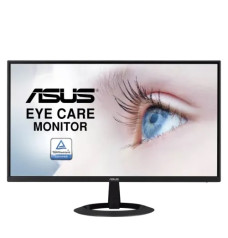
15,500৳
16,600৳
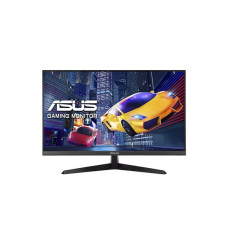
20,999৳
23,000৳
17,200৳
19,000৳

13,700৳
15,400৳
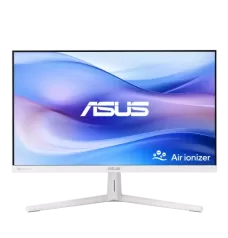
18,000৳
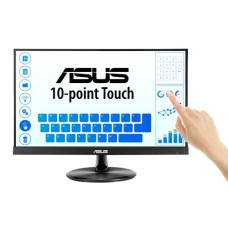
34,200৳
37,000৳
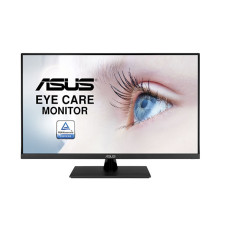
65,000৳
68,000৳
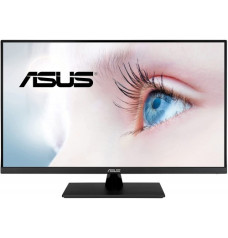
50,200৳
56,000৳
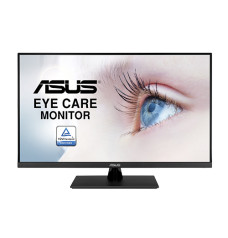
48,000৳
50,000৳
11,600৳
13,500৳
33,200৳
38,500৳
17,999৳
21,500৳

19,200৳
20,900৳

15,500৳
18,000৳
19,000৳

36,200৳
41,770৳


47,500৳
49,000৳
26,500৳
37,500৳

21,200৳
36,000৳
30,000৳
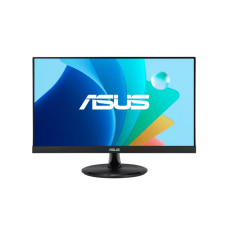
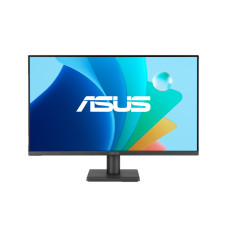
Looking for the latest ASUS monitor price in Bangladesh? Potaka IT offers a wide selection of ASUS monitors for gaming, office work, graphic design, content creation, entertainment and everyday computing. From affordable Full HD Eye Care displays to high-refresh-rate TUF Gaming and ROG models, you can compare specifications, availability and current prices to find the right monitor for your setup.
The price of an ASUS monitor in BD depends on its screen size, resolution, panel technology, refresh rate, response time and connectivity. A basic 22-inch or 24-inch ASUS Full HD monitor generally costs less than a QHD, 4K, ultrawide or high-end gaming display. Since prices and stock can change, check the products listed on this page for the most recent ASUS monitor price in BD.
ASUS produces several monitor families for different types of users. Understanding these series makes it easier to select a suitable display without paying for features you may not need.
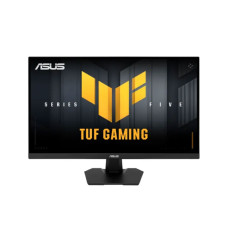
An ASUS gaming monitor can make fast games feel smoother and more responsive than a standard 60Hz display. ASUS currently offers gaming monitors with refresh rates ranging from entry-level 100Hz and 120Hz options to 144Hz, 165Hz, 180Hz, 200Hz, 240Hz, 300Hz and above on selected models.
For casual gaming, a 24-inch Full HD IPS monitor with a 100Hz or 120Hz refresh rate can deliver a noticeable improvement in motion clarity. Competitive players of Valorant, Counter-Strike 2, Apex Legends and similar esports titles should consider a 180Hz, 240Hz or faster display, provided their PC can produce a sufficiently high frame rate.
Gamers who want sharper visuals may prefer a 27-inch ASUS 2K QHD gaming monitor. QHD provides more detail and desktop space than Full HD, while requiring less graphics power than 4K. Technologies such as Adaptive-Sync, FreeSync and G-SYNC compatibility help synchronize the display with the graphics card to reduce visible tearing. Features vary by model, so check the individual product specifications before ordering.
A 22-inch or 24-inch Full HD ASUS IPS monitor is a practical choice for documents, web browsing, online classes, accounting and regular office applications. IPS panels provide consistent colours and wide viewing angles, which are helpful when sharing the screen with another person.
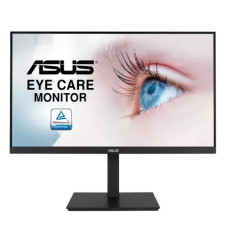
If you work with several windows, large spreadsheets or long timelines, a 27-inch QHD monitor provides additional usable workspace. A 31.5-inch monitor can offer a more immersive view, but desk depth and viewing distance should be considered. For long working sessions, look for an ASUS Eye Care model with Flicker-Free and Low Blue Light features and use an ergonomically comfortable brightness level.
Colour-sensitive work requires more than a high refresh rate. An ASUS ProArt monitor in Bangladesh is worth considering for photo editing, graphic design, animation, colour grading and video production. Depending on the model, ProArt displays may offer factory calibration, wide sRGB or DCI-P3 coverage, QHD or 4K resolution and flexible connectivity.
Before choosing a professional monitor, confirm its colour-gamut coverage, colour-accuracy specification, bit depth, calibration options and supported ports. A 4K ASUS monitor provides fine detail for high-resolution photographs and UHD video, while a QHD model can provide a good balance between clarity, performance and cost.
The best ASUS monitor is the one that matches your primary use, computer performance and available desk space. Consider these points before buying:
| User | Recommended Specification |
|---|---|
| Student or office user | 22–24 inch, Full HD, IPS, 75Hz–120Hz, Eye Care |
| Casual gamer | 24–27 inch, Full HD or QHD, 120Hz–180Hz, Adaptive-Sync |
| Competitive gamer | 24–27 inch, fast IPS, 180Hz–360Hz or higher, low response time |
| Designer or video editor | ProArt IPS/OLED, QHD or 4K, wide colour gamut |
| Multitasking professional | 27–32 inch QHD/4K or ultrawide, ergonomic stand, USB Type-C |
At Potaka IT, you can compare available ASUS monitor models by screen size, resolution, panel type, refresh rate, response time, input options and special features. The category includes displays for affordable home setups, professional workstations and powerful gaming PCs. If you are planning an entirely new desktop, use the PC Builder to choose compatible components for your system.
Customers can order an ASUS monitor online and receive delivery across Bangladesh according to Potaka IT’s online delivery policy. Before purchasing, review the selected product page carefully for its current price, stock status, detailed specifications and applicable warranty information. Browse the products above to compare the latest ASUS monitor prices in Bangladesh and choose a display that fits your work, gaming and entertainment requirements.
ASUS monitor prices vary according to screen size, resolution, refresh rate, panel type and product series. Check this category’s live product listings for updated prices and availability.
ASUS TUF Gaming models are suitable for value-focused gaming, while ROG Strix and ROG Swift displays target competitive and enthusiast users. Choose the refresh rate and resolution according to your graphics card’s performance.
Yes. A 144Hz or 180Hz ASUS gaming monitor can deliver smoother motion and lower perceived input delay than a standard 60Hz display, especially when the computer produces high frame rates.
ASUS ProArt monitors are designed for creative work. Compare colour-gamut coverage, calibration, resolution and connectivity before selecting a particular model.
Yes. Available ASUS monitors can be ordered online from Potaka IT for delivery in Bangladesh. Delivery conditions and charges may depend on the location and selected product.

