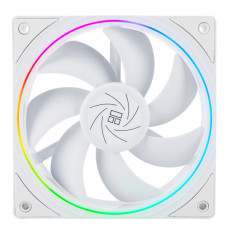
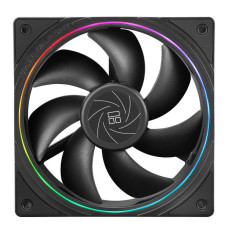
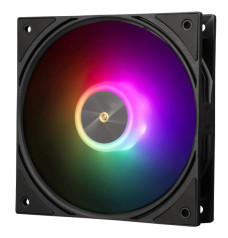
Thermalright Casing Fan Price ranges from BDT 900 to 4500 in Bangladesh. Buy Original Thermalright Casing Fan from Potaka IT Shop. Browse below and order yours now.
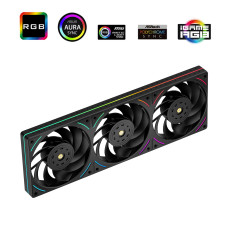
4,100৳
4,500৳

3,300৳
4,000৳

3,500৳
4,200৳

1,500৳
1,800৳
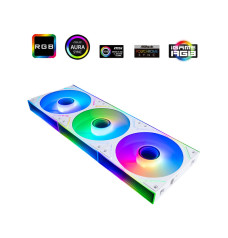
3,400৳
3,800৳
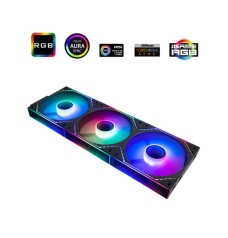
3,400৳
3,900৳

3,300৳

2,800৳
3,500৳

1,000৳
1,000৳

1,000৳
1,100৳

900৳
1,000৳

4,200৳
4,800৳

4,500৳
4,800৳

4,500৳
5,000৳

1,050৳
1,150৳

1,050৳
1,150৳

2,700৳
3,000৳

3,500৳
3,800৳

2,500৳
2,800৳
Thermalright case fans typically vary based on factors such as size, features, and performance. Generally, Thermalright offers case fans across a range of price points to accommodate different budgets and requirements.
Buying a Thermalright casing cooler, also known as a casing fan or chassis fan, involves considering various factors to ensure optimal airflow and cooling performance for your computer system. Here's a comprehensive buying guide to help you make an informed decision:
1. Fan Size:
Casing coolers come in various sizes, such as 120mm, 140mm, and even larger variants. The size you choose should be compatible with your computer case's fan mounting locations. Larger fans can move more air at lower RPMs, resulting in quieter operation.
2. Airflow and Static Pressure:
Airflow (measured in CFM - cubic feet per minute) determines how much air the fan can move, while static pressure (measured in mmH2O) indicates the fan's ability to push air through obstacles like fins or dust filters. Balanced airflow and static pressure fans are suitable for general use, while high static pressure fans are ideal for radiators and heatsinks.
3. Noise Level:
Consider the fan's noise level, typically measured in decibels (dB). Quieter fans are preferable, especially if you're aiming for a quiet PC build. Look for models with noise-reduction features and technologies.
4. Bearing Type:
Fans come with different bearing types, including sleeve, ball, and fluid dynamic bearings. Fluid dynamic bearings are known for their quiet operation and longevity, while ball bearings are durable and suitable for vertical mounting.
5. PWM and Voltage Control:
Fans with Pulse Width Modulation (PWM) support allow your motherboard to control their speed dynamically based on temperature. Voltage-controlled fans run at a constant speed and are typically controlled using a fan controller.
6. Number of Fans:
Decide how many fans you need based on your components, overclocking, and case airflow. A common setup involves intake fans at the front and bottom and exhaust fans at the rear and top.
7. Fan Placement:
Strategically position fans to create a balanced airflow through your case. Intake fans should bring cool air in, and exhaust fans should expel hot air. Consider adding fans to areas with poor airflow or where components generate significant heat.
8. Compatibility:
Ensure that the fans you choose are compatible with your computer case's mounting locations and your motherboard's fan headers.
9. Aesthetics:
Fans often come with LED lighting or different color options. Choose a style that complements your overall build's aesthetics.
11. Additional Features:
Some casing coolers come with extra features such as anti-vibration mounts, interchangeable color rings, and modular cabling for easier cable management.
12. Budget:
Set a budget for your casing cooler purchase, considering that high-quality fans with advanced features may cost more.
By considering these factors and tailoring your casing cooler choice to your specific needs and preferences, you can enhance your computer's cooling performance and create a more comfortable and efficient computing environment.
Potaka IT serves as the official importer and authorized distributor for Thermalright Casing Fan in Bangladesh. We proudly offer a range of Thermalright CPU coolers, case fans, and CPU bending corrector frames at competitive dealer prices, catering to customers across Bangladesh. Thermalright has been at the forefront of the computer cooling solutions industry, introducing innovative changes such as convex cooler bases that are now widely adopted in the field.