
Laptop RAM Price in Bangladesh starts from BDT 2300 to 3700, depending on the model and specification. Latest Laptop RAM available at Potaka IT Computer shop in BD. Browse below & Order yours Now!
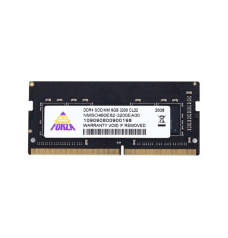
9,000৳
/team-elite-laptop-ram-228x238.jpg)
3,300৳
3,350৳
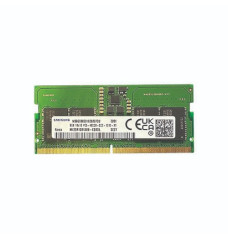
3,700৳

2,300৳
2,600৳
/8gb-ddr4-2666mhz-500x500-228x238.jpg)
3,000৳
3,220৳
| Laptop RAM - Updated Price list in BD | |
|---|---|
| Neo Forza NFSO480E82-3200EA10 8GB DDR4 3200MHz CL22 SO-DIMM Laptop RAM | 9,000৳ |
| SAMSUNG 8GB 4800MHz DDR5 Laptop RAM | 3,700৳ |
| Colorful Notebook 8GB DDR4 3200MHz SO-DIMM Laptop RAM | 2,300৳ |
| Adata 8GB DDR4L 2666MHz Laptop RAM | 3,000৳ |
| TEAM ELITE 8GB DDR4 3200MHz Laptop RAM | 3,300৳ |
Looking for the best laptop RAM price in Bangladesh? Potaka IT offers laptop memory for everyday notebooks, business laptops, gaming models and professional workstations. Whether you need an affordable 8GB upgrade, a practical 16GB module or higher-capacity memory for demanding software, the right RAM can make multitasking feel smoother and reduce slowdowns when several programs are open.
Laptop RAM prices in BD vary according to memory generation, capacity, bus speed, brand, warranty and current availability. Instead of choosing only by price, confirm that the module matches your laptop’s supported RAM type, speed and maximum capacity. Browse the products on this page for the latest stock and price, or explore our laptop collection when upgrading an older device is no longer practical.
RAM, or Random Access Memory, temporarily holds the data your laptop needs while applications are running. When available memory becomes too low, the system relies more heavily on slower storage, which can cause lag while switching browser tabs, joining online meetings, editing documents or running creative software. Adding compatible RAM gives the laptop more working space and can improve responsiveness during multitasking.
A RAM upgrade is especially useful when your laptop starts normally but slows down after opening several applications. However, RAM does not replace a fast processor or storage drive. For a balanced performance upgrade, pair suitable memory with an SSD, which can improve boot time, file loading and application launch speed.
Most upgradeable laptops use compact SO-DIMM memory modules. Desktop DIMM memory is physically different, so it cannot be installed in a standard laptop slot. Shoppers looking for full-size PC memory should visit our desktop RAM category.
DDR3 and low-voltage DDR3L memory are commonly found in older laptops. They remain useful for repairing or extending the life of a compatible notebook, but you must verify voltage and model support before ordering. DDR3, DDR4 and DDR5 are not interchangeable.
DDR4 SO-DIMM is widely used in many student, office and gaming laptops. Popular speeds include 2400MHz, 2666MHz and 3200MHz. A higher-rated module may operate at the laptop’s supported speed, but the safest choice is a specification confirmed by the laptop manufacturer or an existing installed module.
DDR5 SO-DIMM is designed for newer supported laptops and offers higher bandwidth and newer capacity options. It cannot be fitted into a DDR4 slot. Before buying DDR5 laptop RAM, check the exact laptop model, supported memory speed, slot configuration and maximum capacity.
Capacity requirements depend on your software and usage. More RAM helps only when the laptop can support and use it. Some slim laptops have soldered memory, while others combine soldered RAM with one upgrade slot. Always check this before purchasing.
Compatibility is more important than choosing the fastest or cheapest module. Use your laptop’s model number and official specification page, or check the currently installed memory with a trusted system information tool. Confirm the following points:
When adding a second module, matching the existing RAM’s generation, capacity, speed and timing as closely as possible can reduce compatibility issues. Two compatible modules may enable dual-channel operation on supported laptops, increasing memory bandwidth in some workloads. If you are unsure, contact Potaka IT with the complete laptop model before placing your order.
Potaka IT lists memory from recognized brands for different budgets and laptop generations. Browse dedicated pages for ADATA laptop RAM, Colorful laptop RAM and TEAM laptop RAM. Selected Samsung laptop memory may also be available on this category page. Product availability, price and warranty can change, so review the individual product page for the latest details before ordering.
Buying the correct memory is easier when product specifications are clearly listed. At Potaka IT, you can compare laptop RAM by capacity, generation, speed, brand and availability. Customers can also explore related upgrade products in one place, including laptop accessories, laptop coolers and laptop stands.
Choose a module that matches your laptop rather than purchasing only by headline speed. Check the product specification, warranty information and stock status, then order online for delivery in Bangladesh. For the most accurate recommendation, share your laptop’s full brand and model number with the Potaka IT team.
Laptop RAM price in Bangladesh depends on capacity, DDR generation, bus speed, brand, warranty and market availability. Check the products above for Potaka IT’s current prices rather than relying on an old fixed price range.
8GB is suitable for common tasks such as browsing, online classes, documents, streaming and light multitasking. Users who keep many tabs open or run demanding software may benefit from 16GB or more.
No. DDR4 and DDR5 laptop RAM use different designs and are not interchangeable. Buy only the memory generation supported by your laptop.
No. Standard desktop RAM uses a larger DIMM form factor, while upgradeable laptops usually use compact SO-DIMM modules.
Adding RAM can improve responsiveness when low memory is causing slowdowns, especially during multitasking. It will not fix every performance issue; an older processor, slow storage, overheating or software problems may also affect speed.
Mixed speeds may work in some laptops, usually at a commonly supported speed, but compatibility is not guaranteed. Matching the existing module and following the laptop manufacturer’s specifications is the safer approach.
Check the official specifications for your exact laptop model. Look for the number of SO-DIMM slots, soldered memory details, installed capacity and maximum supported RAM.